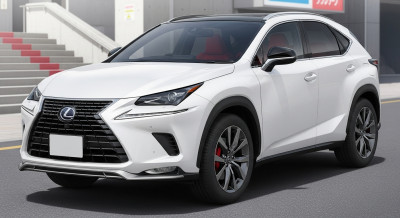
LEXUS
LEXUS  AUDI
AUDI  PORSCHE
  ROLLS-ROYCE
  LAND ROVER
  FERRARI
  MASERATI
  CADILLAC
  CHRYSLER JEEP
 Setting Up Your BMW Charging Network Account | BMW How-To
*How To Set Up Charging Account*
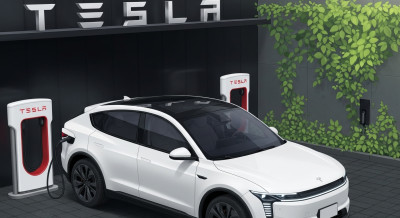
BMW electric vehicles are compatible with all public charging stations, including NACS Partner Tesla Superchargers, when an approved adapter is used”
When it’s time to charge, BMW makes it easy. Access all the top charging providers with only one app - the My BMW App - and one charging account with Shell Recharge.
An additional account with Electrify America gives you a complimentary charging package with the purchase of your BMW EV.
Complimentary Charging only applies for eligible new vehicle purchases. Standard pricing plans are also available. Learn about details at www.BMWUSA.com/ElectrifyAmerica
Once account setup is complete in the My BMW app, you are ready to enjoy the full benefit of the BMW ChargingNetwork: Easy access to over 180,000 charging points across North America from over 15 providers, and the Plug & Charge feature at compatible stations. No need to use credit cards or download multiple apps to start charging.
Here’s how to enroll.
*How To Enroll in Shell Recharge*
Shell Recharge connects multiple different charging operators so BMW customers can use all the major charging providers across the US and Canada with just one account in the My BMW App.
To set up your account, open the My BMW App and, under Charging, select “More” and under Services tap “Shell Recharge” and “Get an account”
Follow the instructions to enter the Shell Recharge Account Center and agree to terms.
Now, set up your payment method by entering your credit card and then tap “Save.” This will integrate payment so there will be no need to use a separate credit card while at the station.
Your Account Center home screen will display a message indicating a Plug & Charge contract certificate has been created and sent to your vehicle.
Your account is now set up and you can use the My BMW App to charge at all these charging providers, and more.
*How To Enroll in Electrify America*
Through BMW’s collaboration with Electrify America, you can enjoy complimentary charging access through the nation’s largest open DC fast-charging network.
Here’s how to set up your account and enroll in the complimentary charging program.
Use your My BMW App and a connected BMW.
Scroll to “Charging,” and under Services, select “Electrify America.” Then tap “Create a Charging Account.”
Next, select “Redeem a New Premium Offer,” accept the terms, and follow the steps to select the premium charging plan that corresponds to your specific model and model year.
Enter your enrollment code when prompted, tap “Verify,” and then “Confirm.” Next, add your payment details.
Everything look okay? Select “Confirm.”
That’s it! Your account is now set up, and you can use your complimentary charging plan.
*How to Activate Plug & Charge*
Not all BMW models support Plug & Charge. Visit bmwusa.com/models/plug-and-charge.html for more information.
For eligible models, there is one final step needed to activate your BMW for Plug & Charge.
Select the “Charging” app, then, “Plug and Charge”
Tap the toggle button.
All set! You are now able to use Plug & Charge.
Plug & Charge allows you to simply plug in your vehicle at compatible stations and walk away without any interaction with the station or app.
As a reminder, only one Plug & Charge contract can be selected for use at any given time. Your BMW will automatically select the right contract for the charging station you’re parked at. When you exit your vehicle, the “Goodbye” screen will indicate which contract is selected.
Enjoy the ease of charging with the BMW Charging Networ
*How To Set Up Charging Account*
BMW electric vehicles are compatible with all public charging stations, including NACS Partner Tesla Superchargers, when an approved adapter is used”
When it’s time to charge, BMW makes it easy. Access all the top charging providers with only one app - the My BMW App - and one charging account with Shell Recharge.
An additional account with Electrify America gives you a complimentary charging package with the purchase of your BMW EV.
Complimentary Charging only applies for eligible new vehicle purchases. Standard pricing plans are also available. Learn about details at www.BMWUSA.com/ElectrifyAmerica
Once account setup is complete in the My BMW app, you are ready to enjoy the full benefit of the BMW ChargingNetwork: Easy access to over 180,000 charging points across North America from over 15 providers, and the Plug & Charge feature at compatible stations. No need to use credit cards or download multiple apps to start charging.
Here’s how to enroll.
*How To Enroll in Shell Recharge*
Shell Recharge connects multiple different charging operators so BMW customers can use all the major charging providers across the US and Canada with just one account in the My BMW App.
To set up your account, open the My BMW App and, under Charging, select “More” and under Services tap “Shell Recharge” and “Get an account”
Follow the instructions to enter the Shell Recharge Account Center and agree to terms.
Now, set up your payment method by entering your credit card and then tap “Save.” This will integrate payment so there will be no need to use a separate credit card while at the station.
Your Account Center home screen will display a message indicating a Plug & Charge contract certificate has been created and sent to your vehicle.
Your account is now set up and you can use the My BMW App to charge at all these charging providers, and more.
*How To Enroll in Electrify America*
Through BMW’s collaboration with Electrify America, you can enjoy complimentary charging access through the nation’s largest open DC fast-charging network.
Here’s how to set up your account and enroll in the complimentary charging program.
Use your My BMW App and a connected BMW.
Scroll to “Charging,” and under Services, select “Electrify America.” Then tap “Create a Charging Account.”
Next, select “Redeem a New Premium Offer,” accept the terms, and follow the steps to select the premium charging plan that corresponds to your specific model and model year.
Enter your enrollment code when prompted, tap “Verify,” and then “Confirm.” Next, add your payment details.
Everything look okay? Select “Confirm.”
That’s it! Your account is now set up, and you can use your complimentary charging plan.
*How to Activate Plug & Charge*
Not all BMW models support Plug & Charge. Visit bmwusa.com/models/plug-and-charge.html for more information.
For eligible models, there is one final step needed to activate your BMW for Plug & Charge.
Select the “Charging” app, then, “Plug and Charge”
Tap the toggle button.
All set! You are now able to use Plug & Charge.
Plug & Charge allows you to simply plug in your vehicle at compatible stations and walk away without any interaction with the station or app.
As a reminder, only one Plug & Charge contract can be selected for use at any given time. Your BMW will automatically select the right contract for the charging station you’re parked at. When you exit your vehicle, the “Goodbye” screen will indicate which contract is selected.
Enjoy the ease of charging with the BMW Charging Network