LEXUS
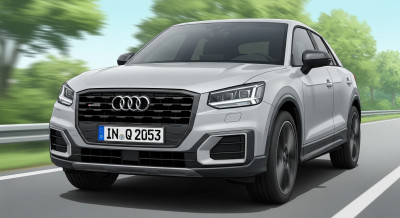
LEXUS  AUDI
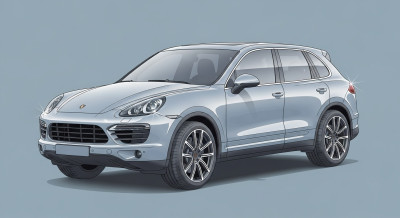
AUDI  PORSCHE
  ROLLS-ROYCE
  LAND ROVER
  FERRARI
  MASERATI
  CADILLAC
  CHRYSLER JEEP
 How To Charge At Tesla Superchargers | BMW How-To
*How To Charge at Tesla Superchargers*
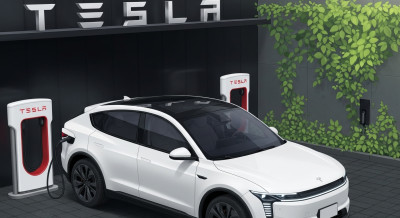
BMW drivers can now access North American Charging Standard (NACS)–equipped charging stations, including Tesla Superchargers.
This guide walks you through how to charge at these stations using an approved NACS DC charging adapter. BMW recommends the Lectron Vortex Plus DC adapter for use with BMW vehicles. You can purchase this adapter from Lectron here:
https://www.ev-lectron.com/BMW
For more information about charging at Tesla Superchargers: https://www.bmwusa.com/all-electric/tesla-nacs-charging.html
*How to Configure the Adapter*
To see NACS stations in your app and in-vehicle e-route planning, you’ll need to save your adapter in your My BMW app charging settings.
Open the My BMW app.
Scroll to Charging.
Select More.
Under Equipment, select Adapters.
Add and save the chosen adapter — in this case, NACS (DC).
Setup is now complete.
NACS stations will appear in your charging-station search results and will be included in your vehicle’s e-route planning and charging recommendations.
*How to Start a Charge*
You can start a charge at a Tesla Supercharger using either BMW’s Plug & Charge feature or the My BMW app.
*Using Plug & Charge*
With Plug & Charge, you don’t need to use a charging provider app or interact with the station. Simply plug in your BMW and walk away. Your vehicle automatically communicates with the charger and begins the session.
First, make sure Plug & Charge is activated. (See our other how-to video for instructions.)
Note: Not all BMW models support Plug & Charge. Visit bmwusa.com/modals/plug-and-charge.html for more information.
When parked at a Plug & Charge–capable station, a confirmation will display on iDrive indicating availability. All Tesla Superchargers support Plug & Charge through your Shell Recharge account.
*Using the My BMW App*
If your vehicle does not support Plug & Charge, you can begin charging via the app:
Select Charge Here.
Select the charger you are parked in front of.
Tap Agree and Begin Charging.
*How to Use a NACS Adapter*
Tesla Superchargers use a North American Charging Standard connector, so you’ll need to attach a NACS DC fast-charging adapter to the charging cable before connecting it to your BMW.
Remove the charging cable.
Connect the cable to your NACS DC adapter.
Once the adapter clicks into place, insert it into your vehicle’s charging port.
The charging light will illuminate yellow, then turn blue, indicating charging has begun.
When charging is complete:
Press the white button to stop the session and unlock the cable.
Disconnect the cable from your vehicle.
Remove the adapter by pressing the lower release button on the adapter.
Return the cable to the charging dock.
*How to Use Magic Dock Stations*
Some Tesla Superchargers include an integrated NACS-to-CCS adapter called the Magic Dock.
These stations are identified in the My BMW app under Charging Station Details.
To connect:
Wrap your hand around the connector.
Press and hold the release button for 2 seconds.
Push up on the handle to release the Magic Dock adapter along with the charging cable.
Insert the Magic Dock cable into your BMW’s charging socket.
The charging light will illuminate yellow, then turn blue, indicating charging has begun.
When charging is complete:
Press the white button to stop the session and unlock the cable.
Disconnect the cable from your vehicle.
Return the cable to the charging dock.
Enjoy the ease of charging with the BMW Charging Network
*How To Charge at Tesla Superchargers*
BMW drivers can now access North American Charging Standard (NACS)–equipped charging stations, including Tesla Superchargers.
This guide walks you through how to charge at these stations using an approved NACS DC charging adapter. BMW recommends the Lectron Vortex Plus DC adapter for use with BMW vehicles. You can purchase this adapter from Lectron here:
https://www.ev-lectron.com/BMW
For more information about charging at Tesla Superchargers: https://www.bmwusa.com/all-electric/tesla-nacs-charging.html
*How to Configure the Adapter*
To see NACS stations in your app and in-vehicle e-route planning, you’ll need to save your adapter in your My BMW app charging settings.
Open the My BMW app.
Scroll to Charging.
Select More.
Under Equipment, select Adapters.
Add and save the chosen adapter — in this case, NACS (DC).
Setup is now complete.
NACS stations will appear in your charging-station search results and will be included in your vehicle’s e-route planning and charging recommendations.
*How to Start a Charge*
You can start a charge at a Tesla Supercharger using either BMW’s Plug & Charge feature or the My BMW app.
*Using Plug & Charge*
With Plug & Charge, you don’t need to use a charging provider app or interact with the station. Simply plug in your BMW and walk away. Your vehicle automatically communicates with the charger and begins the session.
First, make sure Plug & Charge is activated. (See our other how-to video for instructions.)
Note: Not all BMW models support Plug & Charge. Visit bmwusa.com/modals/plug-and-charge.html for more information.
When parked at a Plug & Charge–capable station, a confirmation will display on iDrive indicating availability. All Tesla Superchargers support Plug & Charge through your Shell Recharge account.
*Using the My BMW App*
If your vehicle does not support Plug & Charge, you can begin charging via the app:
Select Charge Here.
Select the charger you are parked in front of.
Tap Agree and Begin Charging.
*How to Use a NACS Adapter*
Tesla Superchargers use a North American Charging Standard connector, so you’ll need to attach a NACS DC fast-charging adapter to the charging cable before connecting it to your BMW.
Remove the charging cable.
Connect the cable to your NACS DC adapter.
Once the adapter clicks into place, insert it into your vehicle’s charging port.
The charging light will illuminate yellow, then turn blue, indicating charging has begun.
When charging is complete:
Press the white button to stop the session and unlock the cable.
Disconnect the cable from your vehicle.
Remove the adapter by pressing the lower release button on the adapter.
Return the cable to the charging dock.
*How to Use Magic Dock Stations*
Some Tesla Superchargers include an integrated NACS-to-CCS adapter called the Magic Dock.
These stations are identified in the My BMW app under Charging Station Details.
To connect:
Wrap your hand around the connector.
Press and hold the release button for 2 seconds.
Push up on the handle to release the Magic Dock adapter along with the charging cable.
Insert the Magic Dock cable into your BMW’s charging socket.
The charging light will illuminate yellow, then turn blue, indicating charging has begun.
When charging is complete:
Press the white button to stop the session and unlock the cable.
Disconnect the cable from your vehicle.
Return the cable to the charging dock.
Enjoy the ease of charging with the BMW Charging Network.